
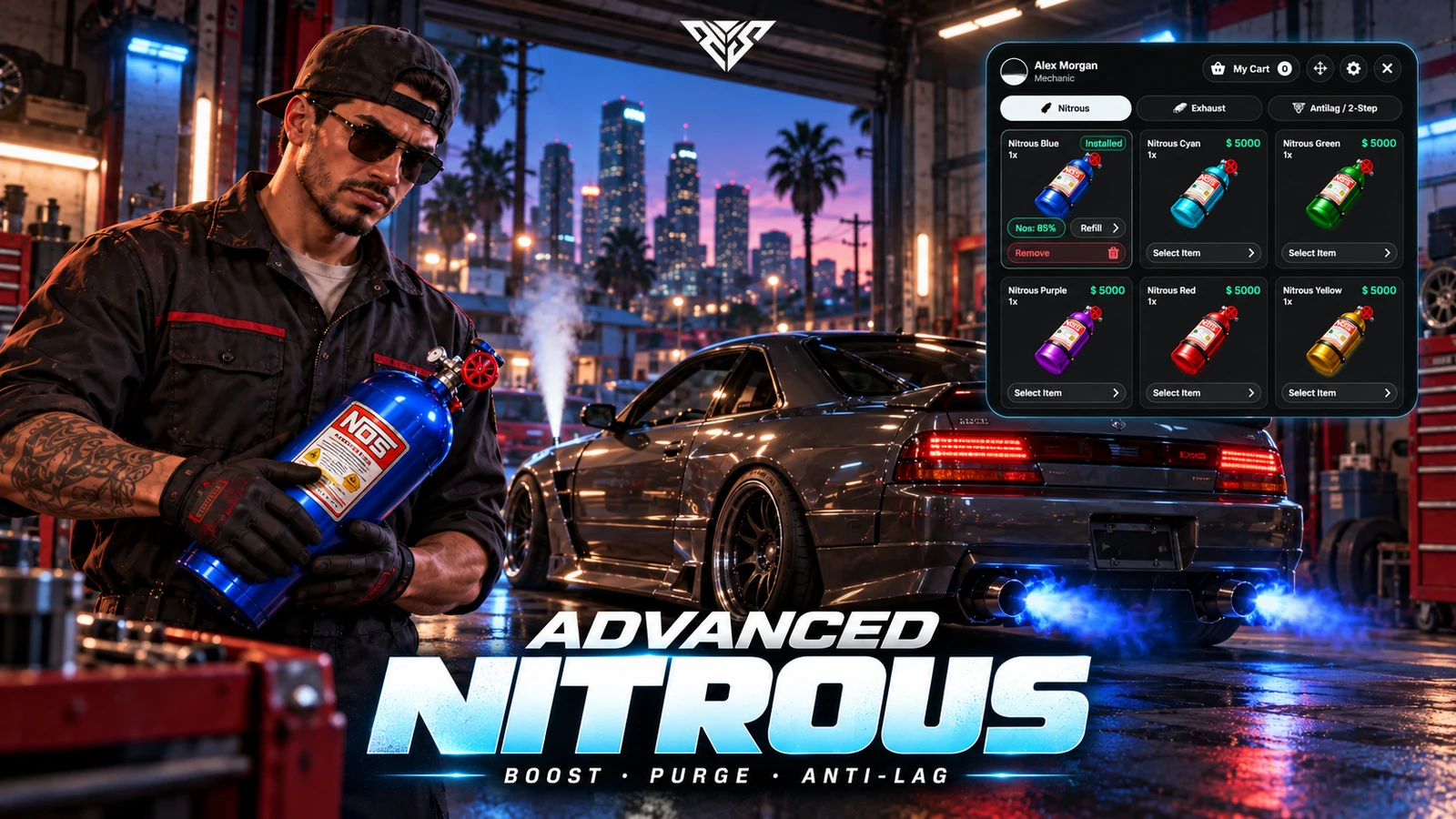
AWS Advanced Nitrous
Nitrous boost, purge, custom exhaust flames and anti-lag/2-step in one configurable vehicle upgrade resource. This guide follows the supplied aws-nitro version 2.2.0 package.
Requirements and compatibility
- FiveM server for GTA V with resource streaming, state bags and networked vehicles available. Test synchronization with your server's OneSync configuration.
- ox_lib is required, including its callbacks, cache and interface helpers. Start it before this resource.
- QBCore or ESX for framework-backed jobs, money and player accounts. The bridge files are
framework/client.luaandframework/server.lua. - Qbox-related branches exist, but server initialization still calls the
qb-coreexport. Qbox requires a working compatibility bridge or an adapted framework file; do not assume a nativeqbx_coreinstallation works unchanged. - Standalone configuration is available through
Shared.UseFramework = false. This bypasses framework job, item, ownership, admin and money checks; supply your own server-side restrictions where needed. Standalone mode does not provide a framework economy. - Inventory adapters include
ox_inventory,qb-inventory,ps-inventoryand ESX inventory. An external inventory is optional when item requirements and item interactions are disabled. - oxmysql is required for MySQL storage and framework vehicle-ownership lookups. The default storage mode is JSON; JSON storage alone does not remove a separate ownership lookup's database requirement.
- The manifest declares
/assetpacks. If FiveM reports that dependency as unavailable, resolve that runtime dependency before starting the resource.
Frameworks, inventories, ox_lib, oxmysql and custom vehicle models are not bundled. The archive includes editable Lua, a compiled web interface, audio banks, streamed effects and prop models. Original Vue project/build sources are not included in this ZIP.
Installation
- Back up your existing resources and database. Stop any previous nitrous resource using the same controls or state data.
- Extract the ZIP into your server resources. The final structure must be
resources/[scripts]/aws-nitro/fxmanifest.lua, withclient,server,framework,config,ui,stream,dataandaudiodirectorybeside it. Avoid a second nestedaws-nitrodirectory. - Keep the folder named aws-nitro. External references and the prepared integration identifiers use that name.
- Start your core, ox_lib, selected inventory and oxmysql where required before
aws-nitro. - Review
config/config.lua,config/locale.lua,server/config.luaand your framework bridge before opening the server to players.
Example QBCore startup order when using ox inventory and oxmysql:
ensure oxmysql
ensure ox_lib
ensure qb-core
ensure ox_inventory
ensure aws-nitro
Replace qb-core with es_extended for ESX and use your actual inventory resource. Do not start two inventories just to match this example. Follow each dependency's own startup requirements.
For an administrator group, grant the script's ACE permission using the group you actually manage:
add_ace group.admin awsnitro.admin allow
This example does not add players to that group. Review your existing permissions before granting access.
Important defaults to change first
| Setting | Supplied value | What to review |
|---|---|---|
Shared.UseFramework |
true |
Enable your QBCore/ESX bridge, or deliberately configure standalone restrictions. |
Shared.OnlyOwnedVehicles |
false |
Enable only with a tested ownership adapter and correct vehicle tables. |
Shared.Locations.mechanicshop |
One workshop | Configure your workshop coordinates and access. |
| Workshop job | mechanic5 |
Replace with your real mechanic job and permitted grades. |
| Workshop position | 136.41, -3045.83, 6.48 |
Change both interaction and installation positions where appropriate. |
| Workshop command | Disabled | /open_nitro is not available by default. Use the location or explicitly enable it. |
| Physical installation flow | Disabled | Enable Installation.Enabled for the bottle/part pickup and fitting workflow. |
| Customer billing | Disabled | The supplied workshop uses cash/bank checkout; enable billing deliberately. |
| Nitro/exhaust item requirements | false |
Purchases do not require a corresponding inventory item by default. |
| Inventory adapter | ox_inventory |
Change or disable it to match your server. |
| Database save type | json |
Choose and test JSON or MySQL before public use. |
| Custom webhook router | Disabled | Configure server-only URLs and both logging switches if required. |
The workshop disables self-refill/recolor, self-removal and self-editing of anti-lag. Review its AllowSelfRefillRecolor, AllowSelfRemoval and AllowAntiLag2StepSelfEdit values separately from general feature switches. The vehicle blacklist includes several classes and the adder model; a refused vehicle may be correctly blocked by configuration.
Boost, purge and exhaust configuration
Four boost levels
Shared.Nitrous.Levels contains four configurable tiers. Each controls power multiplier, drain rate, flame size, trail size and a speed limit value. These are tuning parameters rather than guaranteed real-world acceleration or top-speed results; vehicle handling and other resources affect the outcome.
Shared.Nitrous.BoostEffect selects native or handling operation. The supplied configuration uses native boost. Handling mode supports configurable handling fields and operations. Test interactions with your handling, engine-damage and vehicle-performance resources before changing modes.
The damage configuration can apply engine wear after prolonged continuous use, stop boost and apply a cooldown. Its supplied custom handler changes GTA engine health; replace that callback when your vehicle damage resource should own this behavior.
Purge and trails
Shared.Purge controls purge availability, color access, drain levels and locations. Included location groups cover front wheels, rear wheels, headlights, door handles, taillights and a combined layout. Custom vehicles need matching bones or adjusted offsets.
Shared.Trails controls visual trails and color access. Camera shake and passenger gauge visibility are separate settings, so you can tune presentation without changing engine power.
Exhaust flames and anti-lag
Use Shared.Exhaust to configure selectable flame colors, streamed effects or hex-color operation, engine-level flame sizes and backfire sound selection. Five audio-bank files are included; configure class/model sound choices in the supplied sound tables.
Shared.Antilag2Step provides the install/use switch, optional turbo requirement, anti-lag pulse cadence, 2-step RPM percentage, cut percentage and deceleration-pop thresholds. The UI separates 2-step, anti-lag and decel-pop controls.
Shared.Backfire controls upshift/downshift behavior and throttle-release thresholds. For vehicles with unusual exhaust bones, use the custom exhaust-location tools and test the placement from another player's view.
Workshop prices and mechanic billing
Workshop prices are in-game economy values, separate from the real-money store price of this resource. The supplied workshop costs include nitrous installation 5000, refill 1000, removal 2000, exhaust installation 3000 and anti-lag/2-step installation 7000. Change these in Shared.Locations.mechanicshop.Costs; administrator-menu costs are configured separately.
For mechanic-to-customer invoices, enable the workshop's Billing.Enabled, review the target-player validation callbacks under Shared.Billing, and choose personal or society payout rules. Config.BillingTimeout defaults to 180 seconds. Society accounts differ between servers: test the payout adapter in framework/server.lua before enabling society billing.
The server calculates checkout costs and validates selected entries. Still test insufficient funds, denied access, vehicle ownership, cancelled invoices and failed installations using your chosen framework and inventory.
Inventory items
Set Config.Inventory.Inventory_Name in server/config.lua to your actual adapter. Review Enable_Inventory, all item-based commands, both color-customization sections, purge/trail color items and administration item usage.
If enabling an item feature, register its exact configured identifier in your inventory first. Examples include nitro_settings_item, custom_nitrous_color_item, custom_exhaust_color_item, purge_color_item and trail_color_item. For kit-based purchases, add the selected nitrous_* and exhaust_* item identifiers used by the configuration. Check weight, stack behavior, usable-item/export callbacks and item images against your inventory version. The ui folder contains bottle/exhaust artwork that you can adapt for inventory icons.
The default shop can purchase color variants with in-game money without requiring a kit. Enabling inventory integration alone does not enable every item requirement.
Saving and upgrading
JSON mode
Config.Database.SaveType = 'json' saves vehicle data to the configured datas.json file inside the resource. Keep this file writable by the server. Back it up before replacing the resource: the delivered file is empty and must not overwrite an existing installation's saved data.
MySQL mode
Set SaveType = 'mysql' and start oxmysql before the resource. The database module creates tuff_nitro_installs if needed. Its legacy table name is intentionally preserved for compatibility. No separate SQL installer is included. The database user needs permission to create the table on first setup.
Storage is plate-based. Keep vehicle plates stable and unique, test plate changes, and check how your garage restores vehicles. JSON and MySQL files are not automatically migrated simply by changing the setting; back up and plan any data conversion first. The supplied autosave interval is 60 minutes, with separate MySQL edit/stop-save options.
Controls and commands
Players can change supported binds in FiveM's key-binding menu. Existing saved binds can differ from these defaults.
| Action | Default |
|---|---|
| Switch nitro/purge mode | Left Shift |
| Activate selected mode | Left Ctrl |
| Raise/lower flow level | Page Up / Page Down |
| Cycle purge locations | Z |
| Brief gauge view | F5 |
| Player settings | /nitrosettings |
| Administrator menu | /adminnitro with permission |
| Remove nitrous by plate | /dv_nitro with configured restrictions |
| Custom exhaust-position editor | /set_exhaust, administrator by default |
| Export/import custom exhaust placement | /exportexhaust / /importexhaust |
| Recolor nitrous/exhaust | /changeNitrousColor / /changeExhaustColor when enabled |
Settings include hold/press activation, trigger duration, gauge style/position/size, visual trails, camera shake, UI sounds and quick-view key. Do not confuse the administrator test command with the workshop's disabled public command.
External HUD integration
Shared.Nitrous.HudBridge can forward level, activation state, installed state, plate and selected mode through event/export adapters or a custom callback. It is disabled by default. Enable it deliberately and decide whether to hide the built-in gauge.
The sample adapter emits hud:client:UpdateNitrous. Other HUDs may use different signatures. The client exports GetNitroHudData and GetNitroData are available through the resource for a custom integration; inspect framework/client.lua for the exact returned payload before connecting your HUD.
Localization and server logging
Notifications and interface labels are in config/locale.lua. Keep placeholders and keys intact when translating. Server logging routes live in framework/server_webhook.lua; add your own URLs per action and enable both the router and Config.EnableWebhook if using them. Keep webhook URLs in server-only files and review which player/vehicle details you send.
First-run verification and troubleshooting
- Start the server and inspect its console plus client F8 for missing dependencies, Lua errors or failed audio/particle loads.
- Use an allowed vehicle with a stable plate at the configured workshop, with the correct job and enough in-game money.
- Purchase a nitrous color, test hold/press boost, all four levels, refill and removal. Check cooldown and engine-damage settings.
- Test purge locations and colors, exhaust flames, gear-change/decel pops, anti-lag and 2-step. Observe them from a second connected client.
- If physical installation is enabled, test pickup, fitting, cancellation and returning parts. Test inventory item removal/return with your adapter.
- If billing is enabled, test accepted, rejected and expired invoices and verify the intended payout account.
- Reconnect, respawn/store the vehicle and restart the resource/server. Confirm installed data and fill values persist using your configured storage.
- Verify non-mechanics cannot access restricted operations, non-admins cannot use administrator tools and blocked vehicles remain denied.
No menu at the workshop usually means a dependency, job, coordinate, driver-seat or blacklist condition. Missing items usually mean mismatched inventory names or unregistered item identifiers. Missing saved data usually means plate changes, unwritable JSON, unavailable oxmysql or a storage-mode mismatch. Incorrect flame positions require vehicle-bone/offset configuration rather than a different color.
The package was statically reviewed and its bundled interface previewed for this listing. A live multiplayer FiveM gameplay test was not performed as part of the website publication. Validate the resource with your own integrations before public deployment.
Support
Include version 2.2.0, your framework/inventory, JSON or MySQL selection, the operation that fails and relevant server/F8 output. Remove webhook URLs, credentials and personal player identifiers before sharing logs. Contact AWS support.