
AWS Vehicles installation
Before you start
Each download contains one vehicle resource. Check its product page for the resource folder and exact spawn code. Codes are preserved from the supplied files and may differ from the AWS product name.
The original /assetpacks dependency is retained. Use a properly licensed and authorized FiveM server for assets that require authorization. Downloading a ZIP does not change the original asset authorization requirements.
Install a vehicle
- Download the vehicle from My Scripts after your purchase is completed.
- Extract the ZIP. Keep the
aws_*resource folder intact, includingfxmanifest.lua,data/andstream/. - Copy that folder into your server's resources directory.
- Add
ensure aws_RESOURCE_NAMEtoserver.cfg, using the exact folder name on the product page. - Restart the resource or server and connect again.
- Spawn the vehicle using the exact model code shown on its page.
The vehicle's code is separate from any garage or dealership entry. Add the model to your framework's vehicle/dealership configuration if your server requires that step.
Compatibility and testing
Do not start an individual resource alongside the original combined pack containing the same model. Duplicate vehicles, handling entries or modkit IDs can conflict.
The supplied metadata loads handling, vehicles, carcols and carvariations in that order. Some tuning kits use IDs from 800 to 880; check for conflicts with other resources installed on your server.
Test spawn, lights, textures, seating, handling and tuning options before putting a vehicle into your production dealership. Files have been checked and archived; this does not replace testing each vehicle in game.
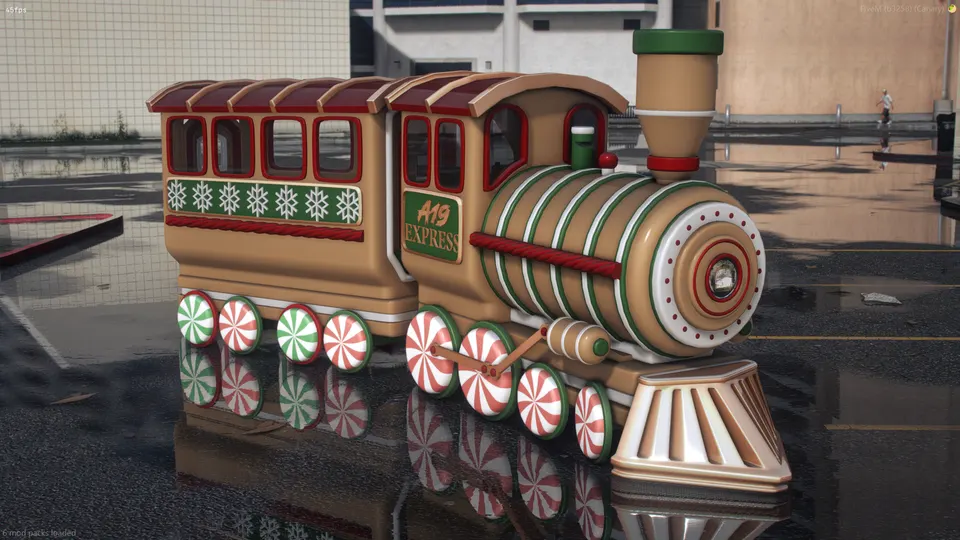
Express train and carriage
The AWS Express locomotive and carriage are separate resources. Install both if you want the complete set and spawn each model individually. The source notes that train handling can be uneven because of GTA/FiveM limitations.
Support
Include the AWS resource name, spawn code, server build and relevant error message when asking for help on Discord.