
WATCH PREVIEW VIDEO

JOIN DISCORD & GET %10 OFF

Join our community to claim your exclusive discount code!

RESOURCE

AWS Racing · Open Source

$50.00

Open-Source · See package requirements

Online payment is being prepared. No payment is collected on this site yet.

DISCOVER THE RESOURCE

See what you can do.

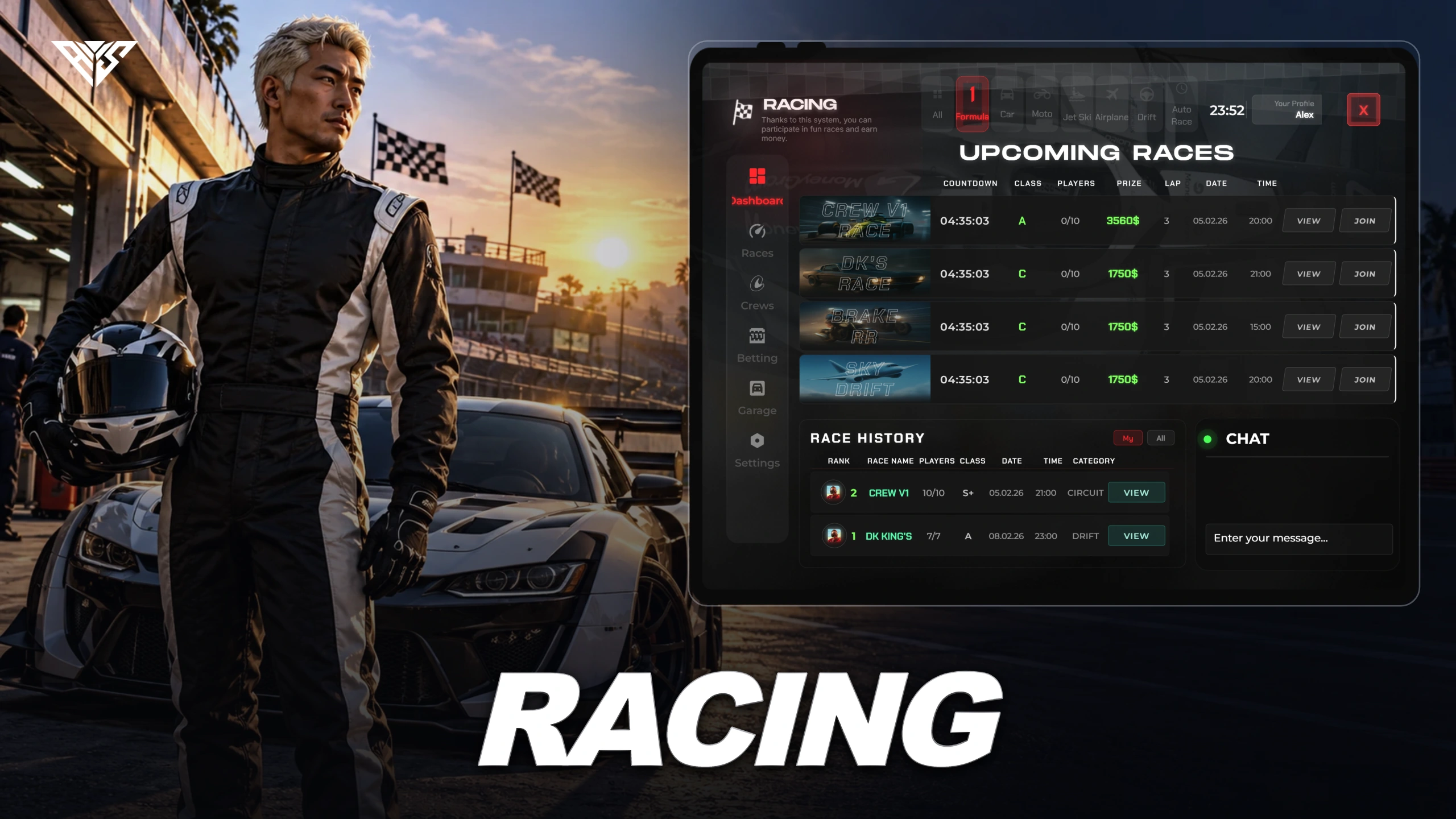
Racing tablet with track creation, crews, race categories and configurable automatic races.

Original resource interface · Example data
01 / FEATURE

Create tracks from the tablet

Open the racing tablet and build a track for your community.

  • Track definitions and category settings determine the races available to players.
AWS artwork · Resource overview
02 / FEATURE

Crews and race categories

The supplied racing flow includes crews and configurable race categories.

  • Players can take part in a complete race using the configured track and entry rules.
Included capabilities
  1. 01

    Create tracks from the tablet

  2. 02

    Crews and race categories

  3. 03

    Configure automatic races

AWS Racing
03 / FEATURE

Configure automatic races

The automatic race system and payment account are configurable.

  • Connect the vehicle table and inventory item to your framework, and review track identifiers after creating tracks.
Player workflow
  1. 01

    Open the racing tablet

  2. 02

    Create or choose a track

  3. 03

    Join and complete a race

AWS Racing
04 / HOW IT WORKS

From first interaction to gameplay

Racing tablet with track creation, crews, race categories and configurable automatic races.

  • Use /openTablet to open the supplied UI. Create a track, invite a second player and test a complete race.
Before you install
  1. 01

    ox_lib, oxmysql and a supported framework adapter in shared/cores.lua.

  2. 02

    Inventory items are required only when FRKN.Item.config is enabled. Qbox needs its QB compatibility exports.

AWS Racing
05 / FEATURE

Make it fit your server

Use the included source and configuration to connect this resource to your existing server. The installation guide lists the required adapters, items and startup order.

Configuration and integration details
  • shared/config.lua uses the FRKN table: language, MoneyType, VehicleTableName, Item, CategoryTracks and AutoRaceSystem.
  • Set VehicleTableName to the real QB or ESX vehicle table. Review FormulaTrackId and category names after creating tracks.

Read installation and configuration →

THE PACKAGE

What is included

  • Readable resource source and configuration
  • Installation README and package instructions
  • Original web interface and supplied UI assets

Third-party frameworks, inventory systems and optional paid maps are separate.

GETTING STARTED

Installation essentials

oxmysql / ox_lib / qb-core / aws-racing

Package-specific setup notes
  • Import the schema-only racingv2.sql on a backed-up database. Existing player/race/crew data was removed from the distribution copy.
  • Create new tracks in game; original server track IDs and category track names may refer to removed sample data.
  • The supplied racing UI is standalone; FRKN.UseTabletApp=false keeps the optional external tablet integration disabled.
Open the installation guide ↗
Expanded product interface

Recent Activity

JOIN OUR DISCORD

Need help with this package? Join 5,000+ developers for 24/7 expert support and community updates.

JOIN SERVER

VIEW DOCUMENTATION

Detailed installation guides, configuration examples, and technical requirements for this resource.

READ GUIDES