WATCH PREVIEW VIDEO

JOIN DISCORD & GET %10 OFF

Join our community to claim your exclusive discount code!

RESOURCE

AWS Job Garage · Open Source

$25.00

Open-Source · See package requirements

Online payment is being prepared. No payment is collected on this site yet.

DISCOVER THE RESOURCE

See what you can do.

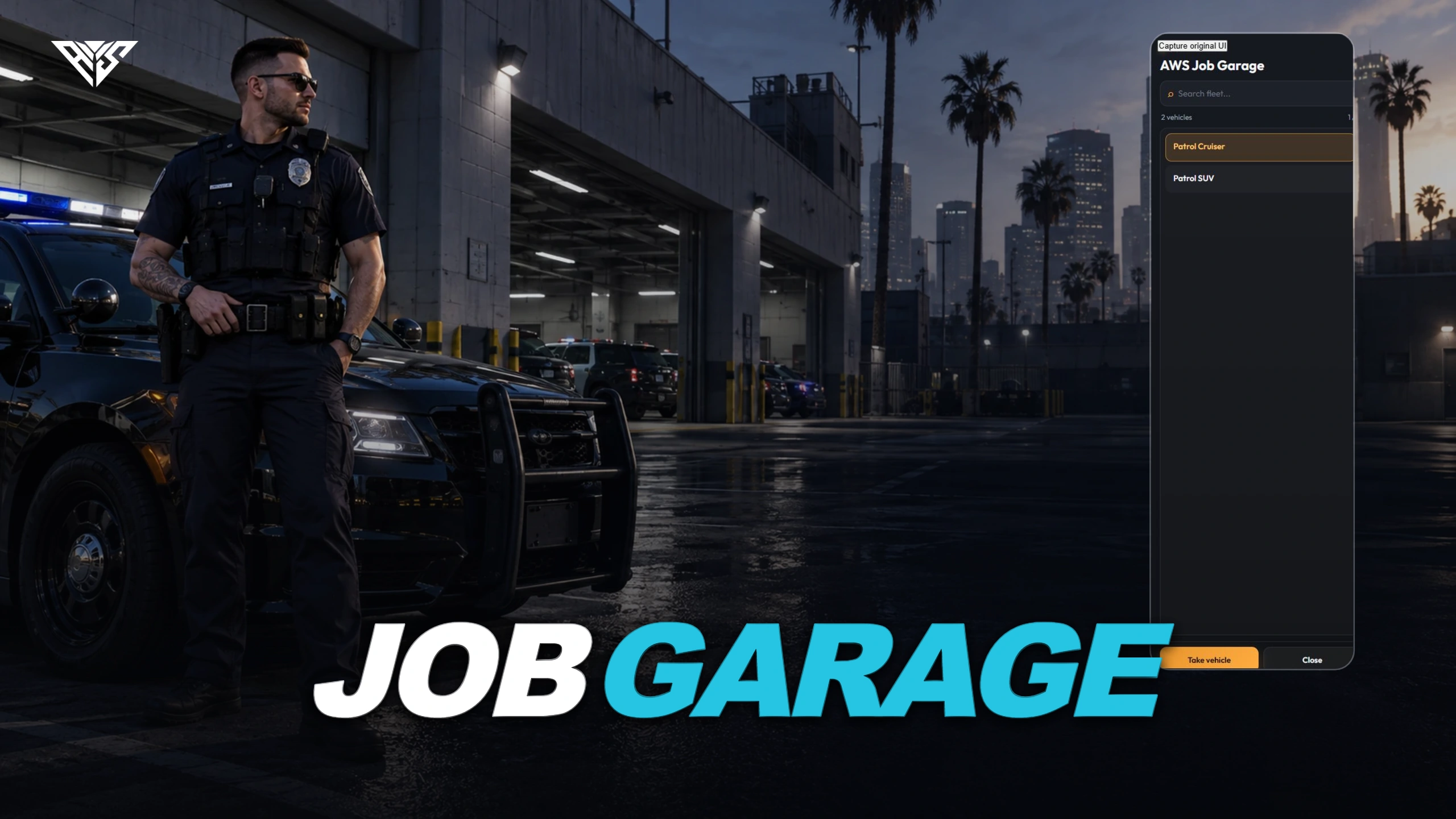
Job/grade vehicle selection and configured spawning with key and fuel integrations.

Original resource interface · Example data
01 / FEATURE

Vehicles for the right job

A configured garage NPC offers vehicles according to the player job and grade.

  • Set each garage location and its available fleet.

AWS artwork · Resource overview
02 / FEATURE

Choose and collect a work vehicle

The supplied selection flow lets a permitted player choose a vehicle and request its delivery.

  • Configure the showcase and spawning settings for each location.
Included capabilities
  1. 01

    Vehicles for the right job

  2. 02

    Choose and collect a work vehicle

  3. 03

    Keys, fuel and feedback

AWS Job Garage
03 / FEATURE

Keys, fuel and feedback

Connect the garage to your selected key and fuel resources.

  • Target, notification, progress and menu providers are configurable.
Player workflow
  1. 01

    Use a permitted job garage

  2. 02

    Select an available vehicle

  3. 03

    Collect the spawned work vehicle

AWS Job Garage
04 / HOW IT WORKS

From first interaction to gameplay

Job/grade vehicle selection and configured spawning with key and fuel integrations.

  • Interact with a configured garage NPC using a permitted job and grade, choose an available vehicle and test its delivery.
Before you install
  1. 01

    qb-core, ox_lib and oxmysql.

  2. 02

    Target, menu, vehicle-key and fuel adapters depend on config.lua and client/main.lua. Native Qbox needs QB compatibility.

AWS Job Garage
05 / FEATURE

Make it fit your server

Use the included source and configuration to connect this resource to your existing server. The installation guide lists the required adapters, items and startup order.

Configuration and integration details
  • config.lua: Target, Notify, Progressbar, Menu, Showcase and konumlar.
  • Historical riopd event identifiers remain intact for integrations; the resource folder is aws-job-garage.

Read installation and configuration →

THE PACKAGE

What is included

  • Readable resource source and configuration
  • Installation README and package instructions
  • Original web interface and supplied UI assets

Third-party frameworks, inventory systems and optional paid maps are separate.

GETTING STARTED

Installation essentials

oxmysql / ox_lib / qb-core / qb-target / qb-menu / qb-vehiclekeys / aws-job-garage

Package-specific setup notes
  • Use check-pd-vehicles.sql only after reviewing its schema changes against your existing vehicle table.
  • Configure Config.konumlar, job grades, vehicle models and spawn/showroom coordinates.
  • Start key/fuel integrations before the resource if enabled.
Open the installation guide ↗
Expanded product interface

Recent Activity

JOIN OUR DISCORD

Need help with this package? Join 5,000+ developers for 24/7 expert support and community updates.

JOIN SERVER

VIEW DOCUMENTATION

Detailed installation guides, configuration examples, and technical requirements for this resource.

READ GUIDES